Know who needs your attention.
Capture buyer enquiries, assign an owner and set a clear next action. Keep follow-up activity in the lead’s history.

From the first buyer enquiry to the final shipment. Bring your follow-ups, costing and commercial documents into one connected workspace.
For exporters, importers and trading teams.
Buyer conversations
Goods-based costing
Linked commercial records
Role-based access
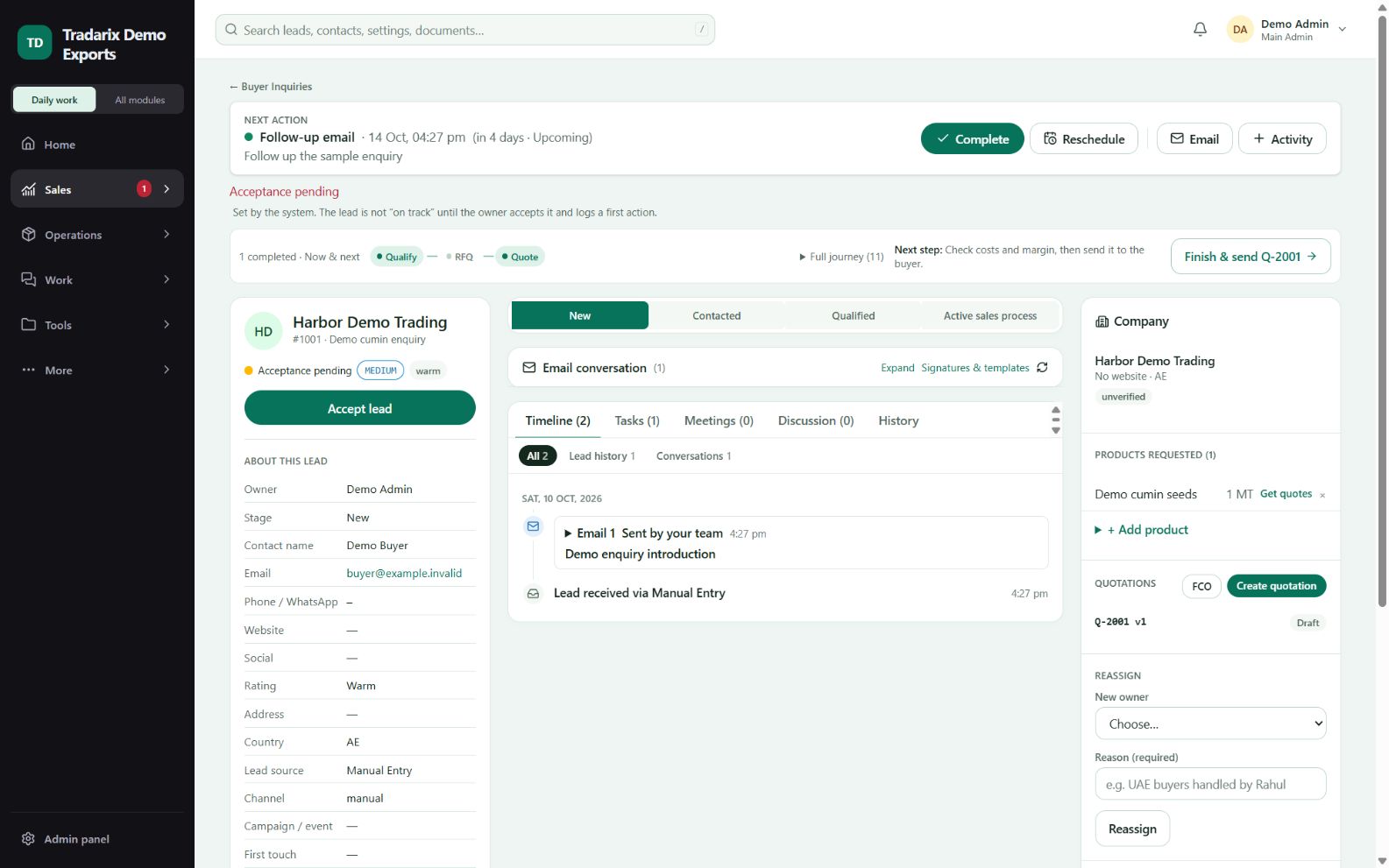
Keep the buyer, the conversation and the next action together—then carry the work forward.
Capture buyer enquiries, assign an owner and set a clear next action. Keep follow-up activity in the lead’s history.
Work with products, currencies and shipment costs. Use separate export and import tools to review your estimates.
Connect quotations, PI, orders, shipments and payment records. Keep each stage linked to the enquiry that started it.
See the enquiry, owner, products and activity together.
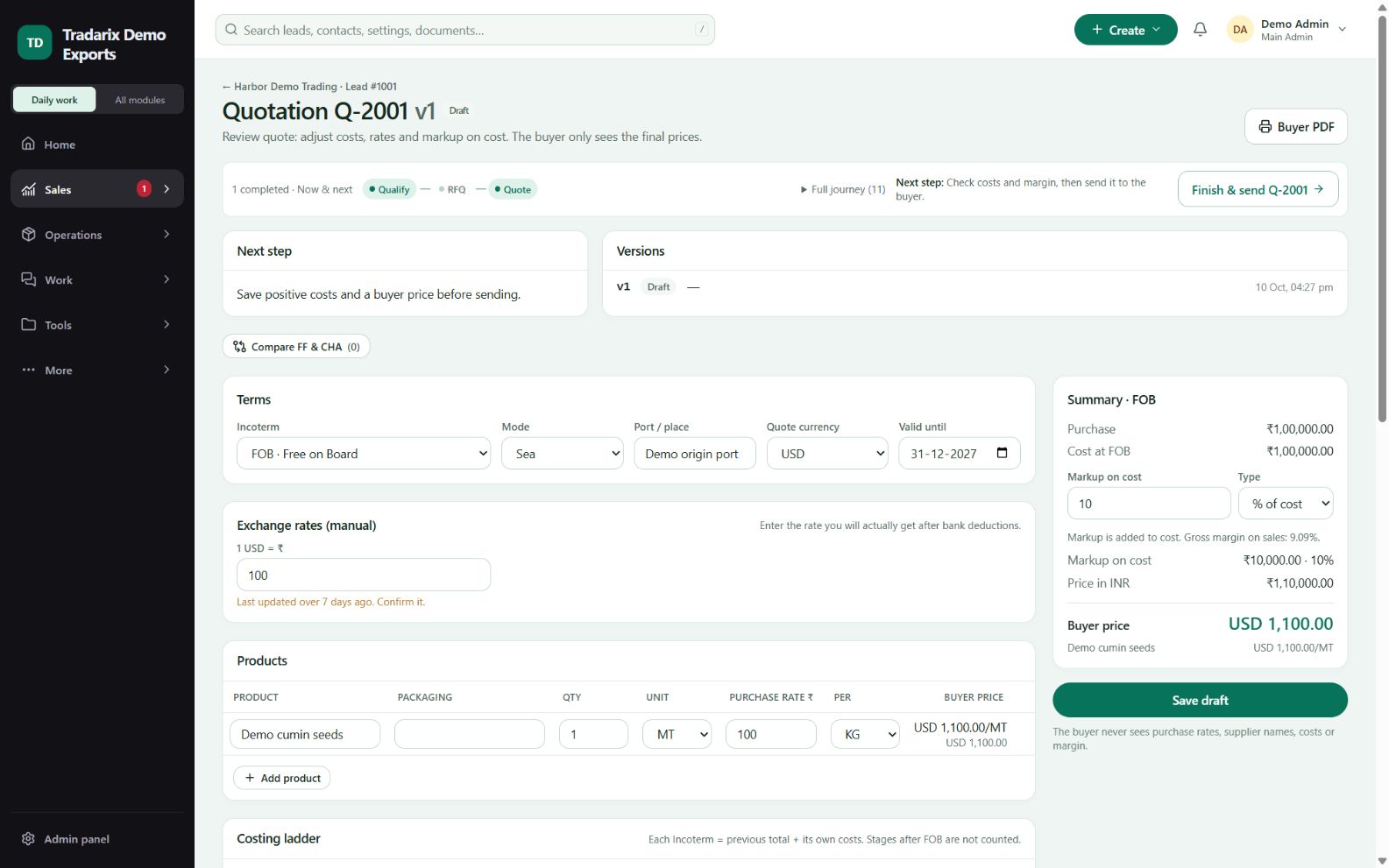
Check products, currency, validity and buyer pricing in a linked quotation.
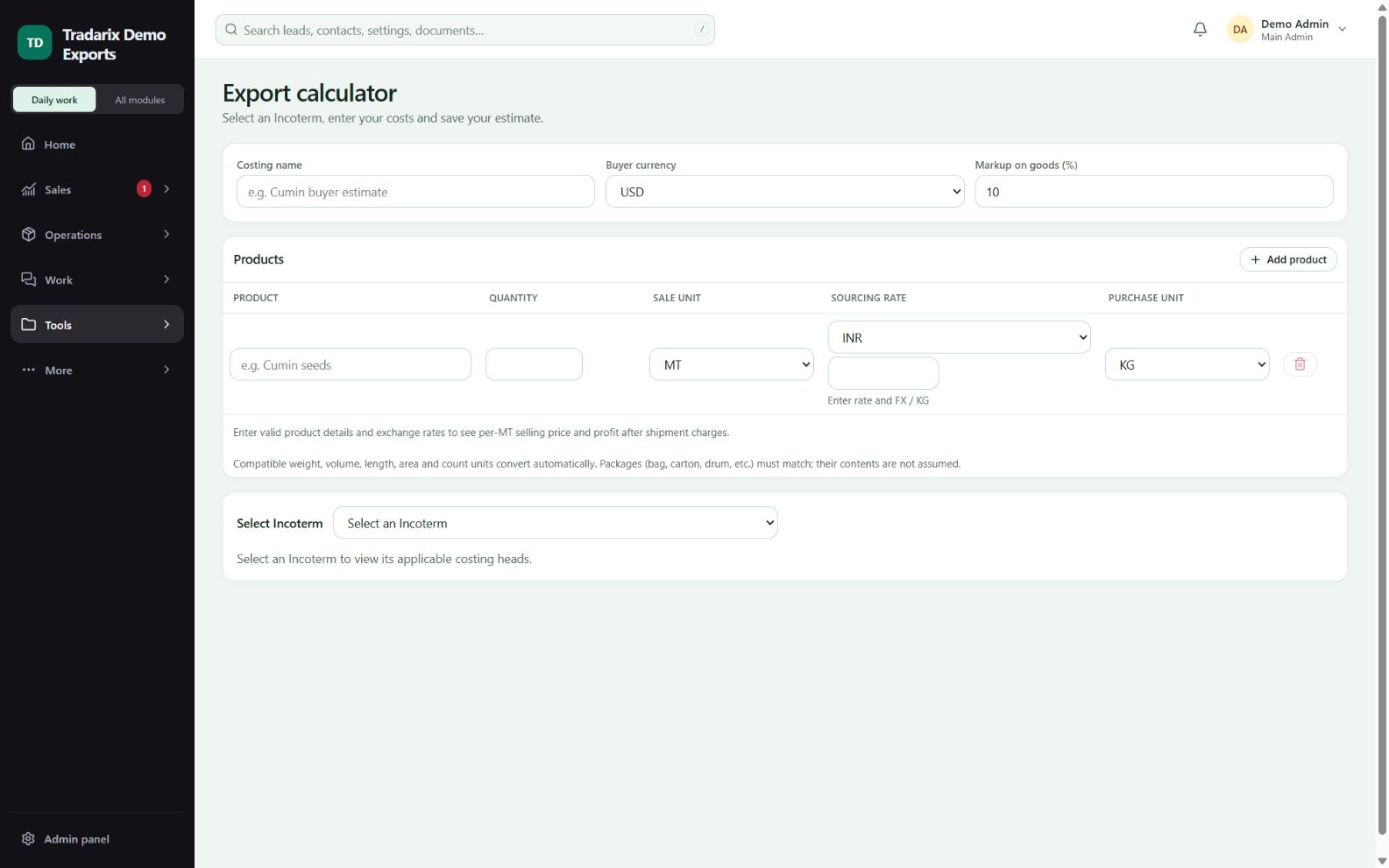
Enter product sourcing and individual goods profit, then review charges for your selected Incoterm.
Start with the buyer’s requirement. Keep the commercial records connected as the deal progresses.
Record the enquiry, choose an owner and plan the next contact.
Compare offers, review costing and prepare a buyer quotation.
Move through PI and order to shipment and document preparation.
Record payment progress and keep the relationship history.
Available actions depend on your role, company configuration and subscription.
Separate calculators inside Tradarix CRM for the questions trade teams ask every day.
Have a question about your workflow? Contact us using the WhatsApp button below.
Exporters, importers and trading businesses that want buyer enquiries, follow-ups and commercial work in one place. Your available modules and actions depend on company settings, role and subscription.
Yes. Company email setup includes outgoing mail and incoming reply configuration. The supported connection method depends on your provider. Email conversations can be linked to permitted lead and contact records.
Yes. Separate export, import and CBM calculators are available inside CRM. You enter your own rates, costs and duties; calculator estimates do not replace customs or professional advice.
Yes. Access roles, reporting teams and write permissions control the records and actions available to each user. Company administration and internal costing have their own permission checks.
Message us on WhatsApp to arrange a demo and discuss the workflow your business needs.
Use the WhatsApp button to contact Tradarix directly. Do not send passwords, activation links or customer-confidential documents.
See how Tradarix fits the way your business works.